We all get one object each time a constructor is called. If we call a class' constructor three times, we get three instances of the class. Also even if we don't write a constructor in our class, the VB.NET compiler creates a no-argument. However, if a class does have a constructor, whether it is a no-argument constructor or one that accepts arguments, the VB.NET compiler does not create a new one. Normally, these constructors have a public access modifier because they are meant to be invoked from outside of the class.
But sometimes there are cases where we want to limit the number of instances of a class to one. When we Press win+ R in windows XP ( I am using windows xp) it will display a RUN dialog. But when it loaded if we press Win + R button again and again we will get only one RUN dialog. How can we do this in vb.net? The Singleton pattern can be used for this purpose. This pattern is effective for limiting the maximum number of instances of a class to exactly one.
Imports System
Imports System.Windows.Forms
Imports System.ComponentModel
Public Class SingletonForm :
Inherits Form
Private Shared myInstance As SingletonForm
#Region " Windows Form Designer generated code "
Private Sub New()
MyBase.New()
InitializeComponent()
End SubProtected Overloads Overrides Sub Dispose(
ByVal disposing
As Boolean)
If disposing
ThenIf Not (components
Is Nothing)
Thencomponents.Dispose()
End If
End If
MyBase.Dispose(disposing)
End Sub
Me.Name = "SingletonForm"
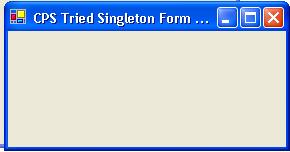
Me.Text = " CPS Tried Singleton Form "
Me.Width = 450
Me.Height = 150
End Sub
#
End RegionProtected Overrides Sub OnClosing (
ByVal e
As CancelEventArgs)
e.Cancel =
TrueMe.Hide()
End Sub
Public Shared Function GetInstance()
As SingletonForm
If myInstance
Is Nothing ThenmyInstance =
New SingletonForm
End If
Return myInstance
End Function
End ClassUsing Sigleton formPublic Class UsingSingletonform
Inherits System.Windows.Forms.Form
Private Sub New()
MyBase.New()
InitializeComponent()
End SubPrivate Sub Button1_Click(
ByVal sender
As System.Object,
ByVal e
As System.EventArgs)
Handles Button1.Click
Dim CPSsingleton
As SingletonForm = SingletonForm.GetInstance()
CPSsingleton.Show()
End Sub
Public Shared Sub Main()
Application.Run(
New UsingSingletonform)
End Sub
End Class






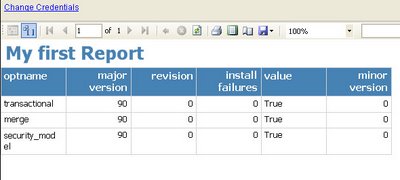 How is it? you can Set Server URL for Report Engine In project properties.Then You can view the Report in Internet Explorer